How meInvite.com works
A short introduction, using a made-up basketball team as an example. The team invites everyone to practice and picks a date for the team party.
Activities
Invite people to a practice, a meeting or a game and see right away who is coming.
-
The group page
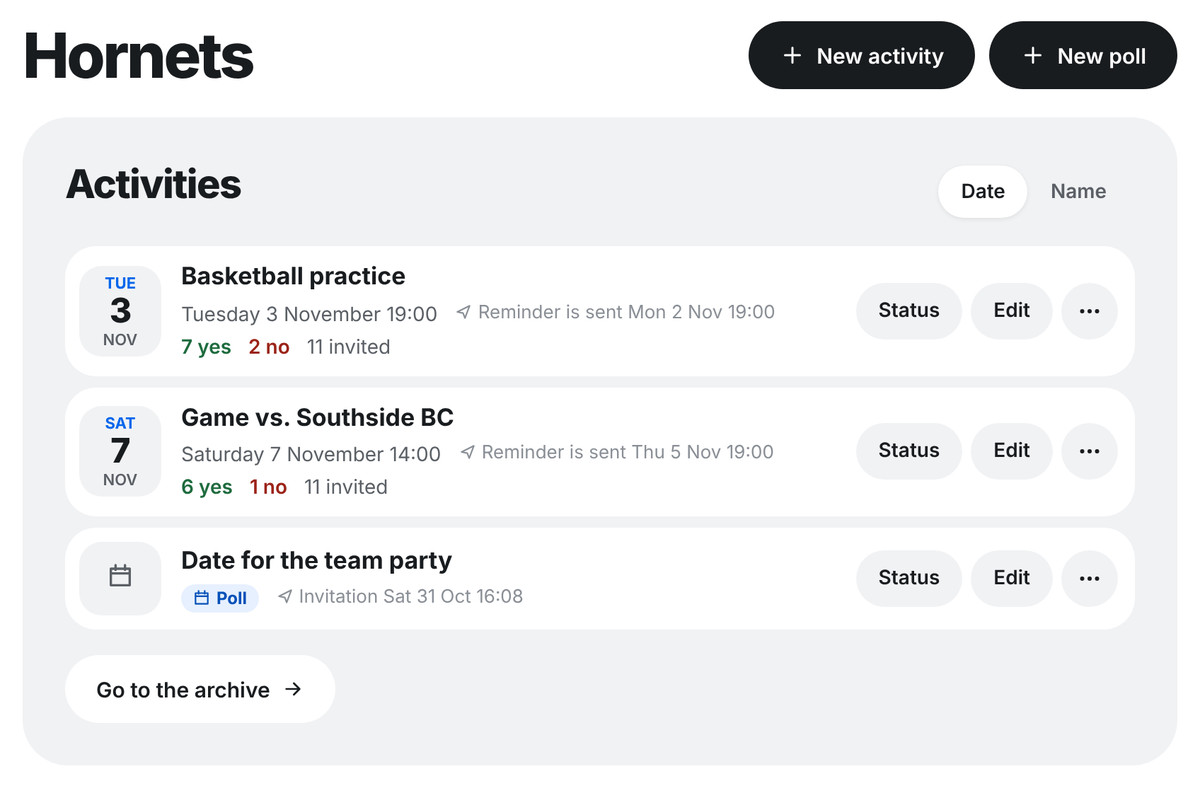
After logging in, you come to the group page. It shows the group's activities and polls, and all the members. This is where you create new activities and add members.
-
Create an activity
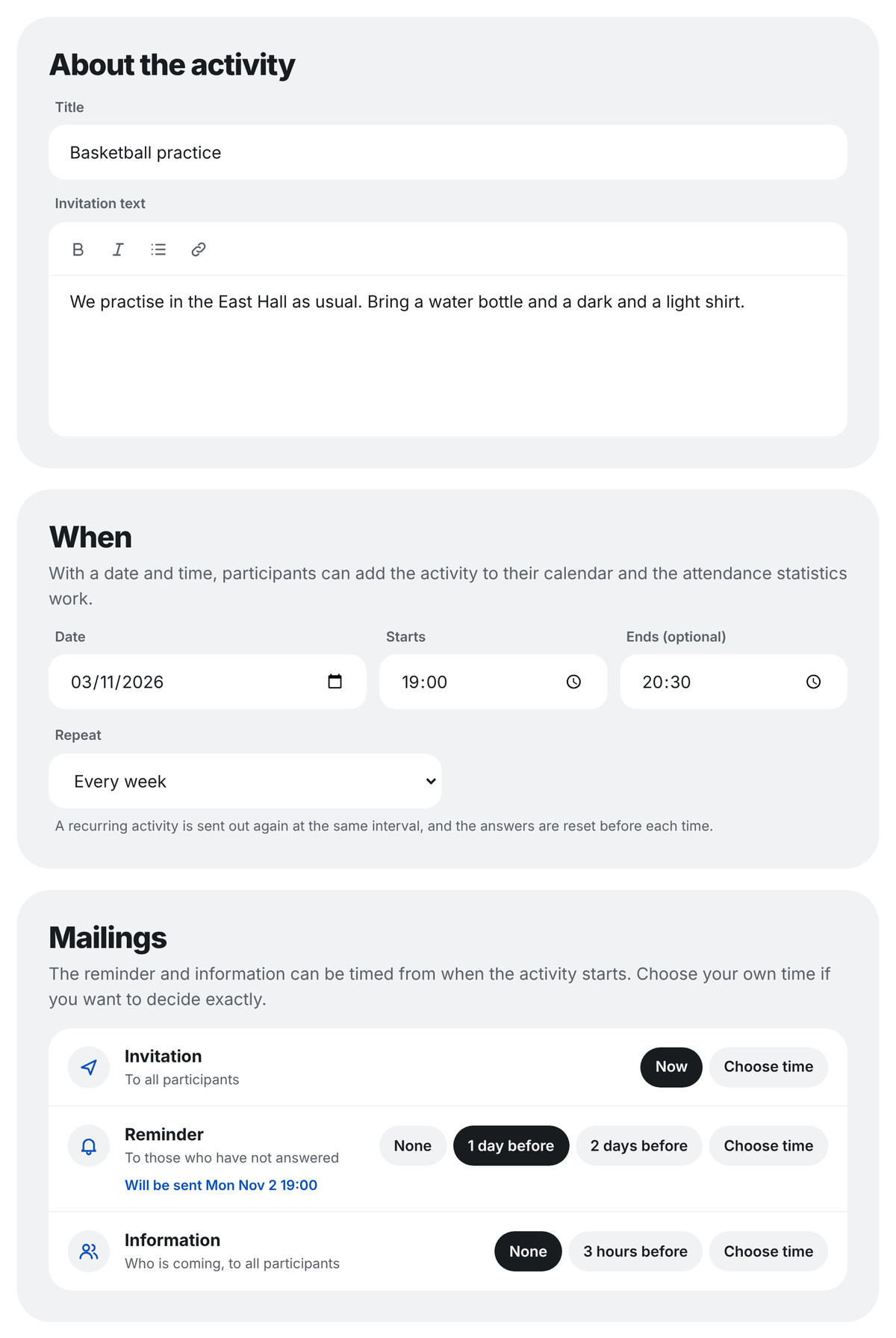
Write a title and an invitation text, choose the date and time and tick who should be invited. Decide when the invitation is sent and whether those who have not answered get a reminder. A recurring activity, such as a weekly practice, is sent out automatically each time.
-
The invitation arrives by e-mail
Everyone invited gets an e-mail with the invitation text and a link to their own answer page. Nobody needs to create an account or log in to answer.
From meInvite.comSubject Basketball practiceBasketball practice
Tuesday 19:00-20:30
We practise in the East Hall as usual. Bring a water bottle and a dark and a light shirt.
The link goes to your own answer page. -
Answer with one click
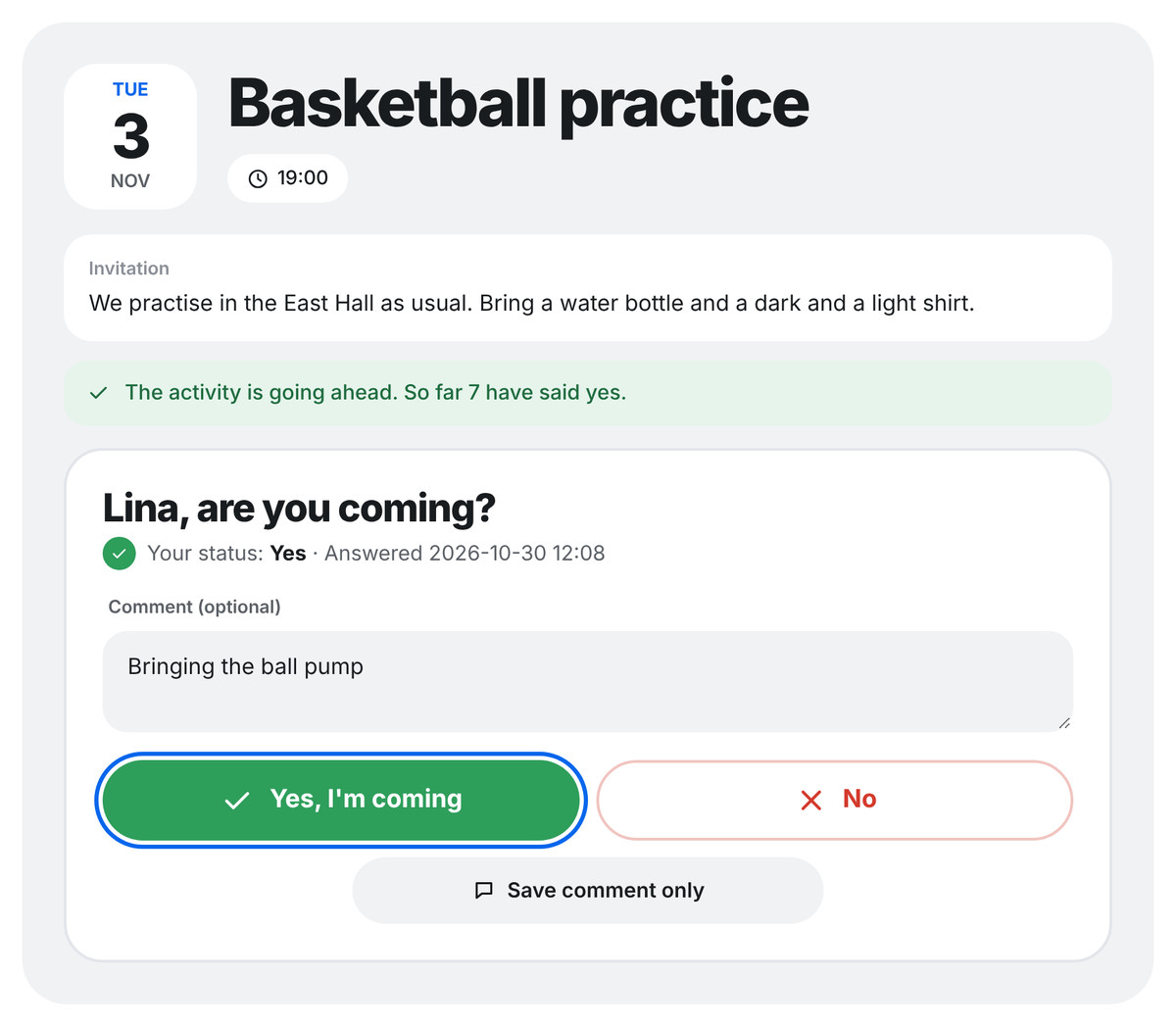
On the answer page you say yes or no and can add a comment. It also shows who else is coming. Whoever created the activity sees all the answers on the group page.
Polls
Find a day that suits most people, or let the group choose between different suggestions.
-
Suggest dates
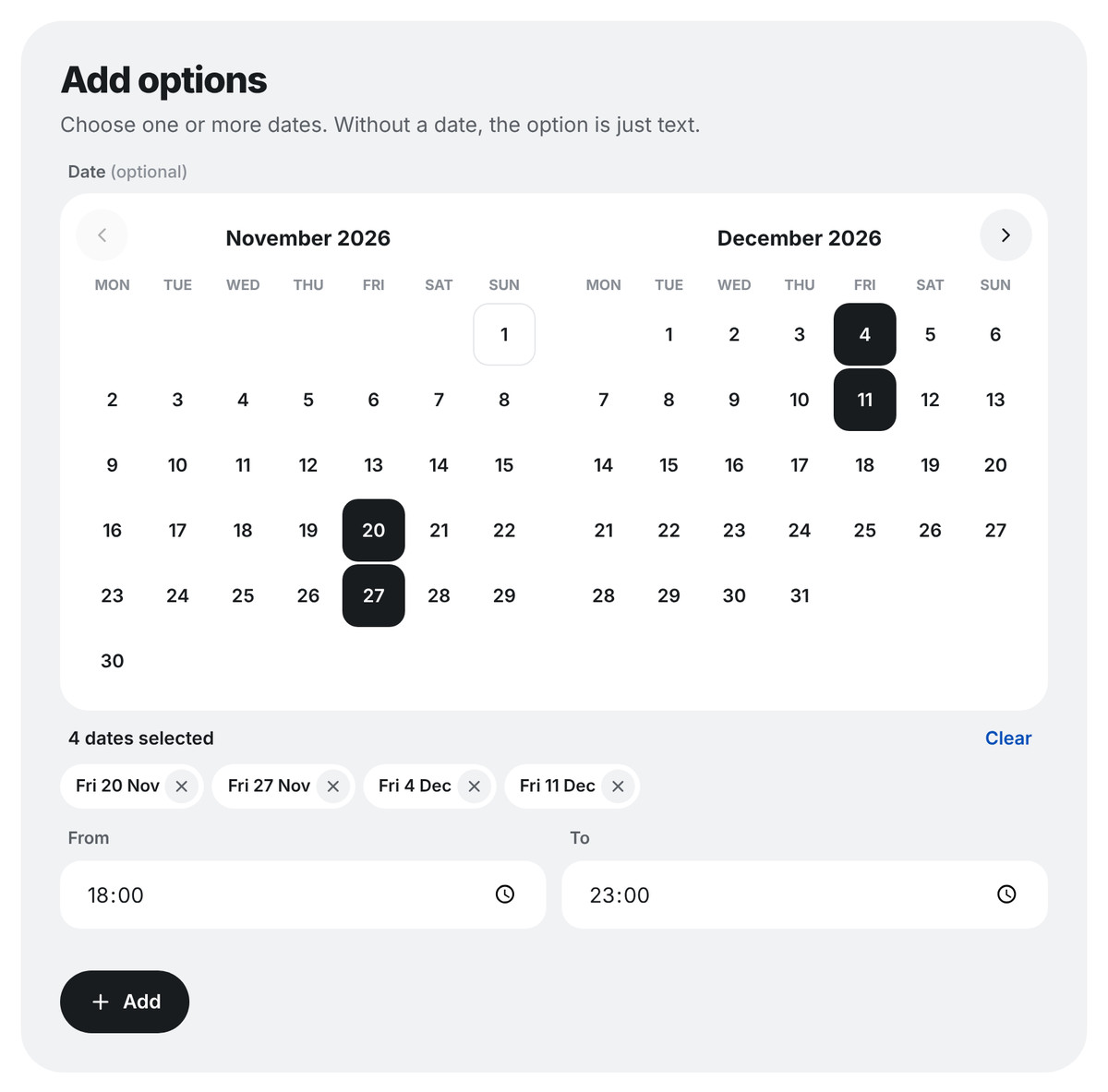
Create a poll and choose the possible dates and times in the calendar. An option can also be just text, for example different restaurants.
-
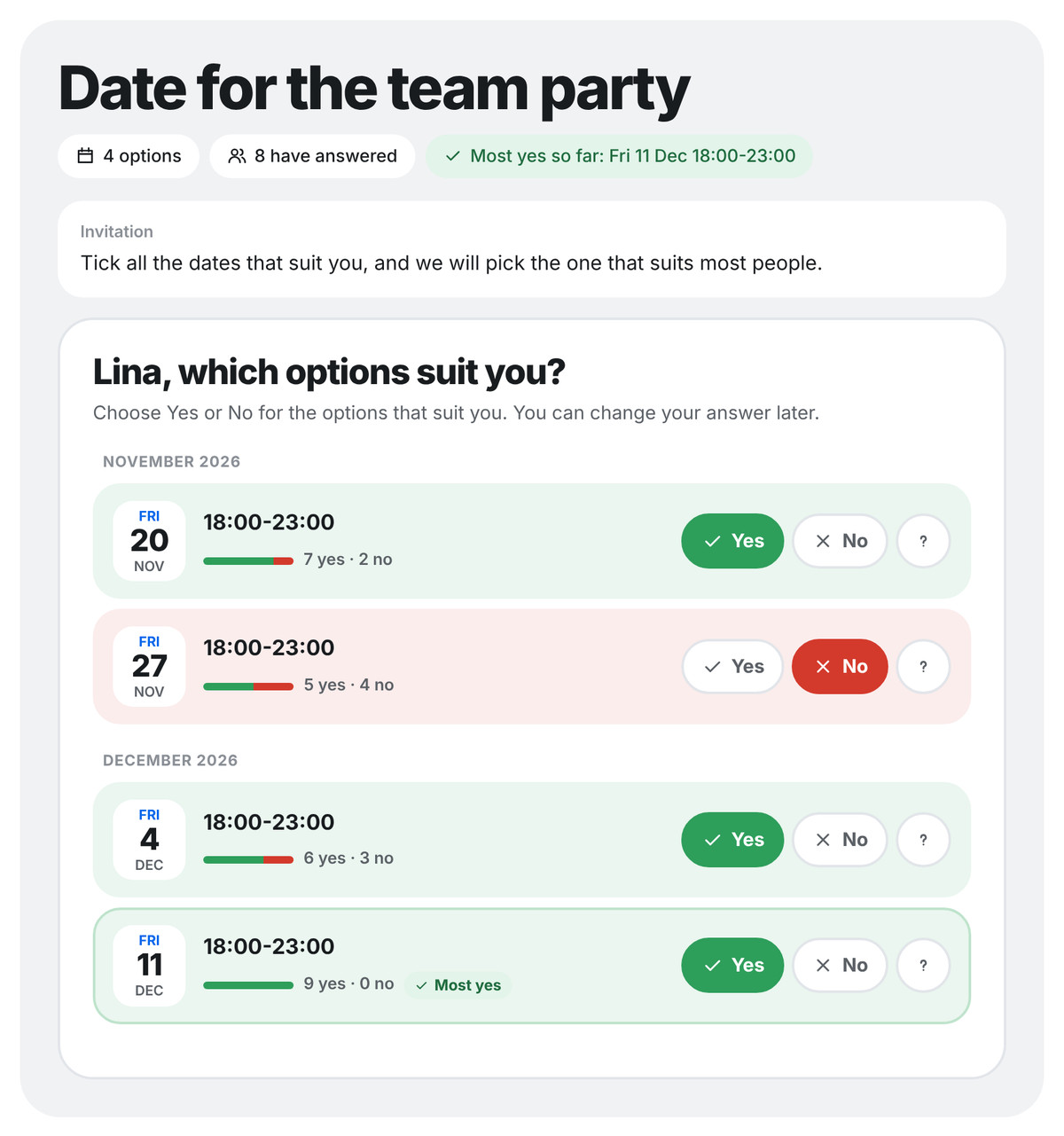
Everyone answers each option
The recipients get an e-mail and answer yes or no to each option. They see right away how many can make it and which option has the most yes answers so far.
-
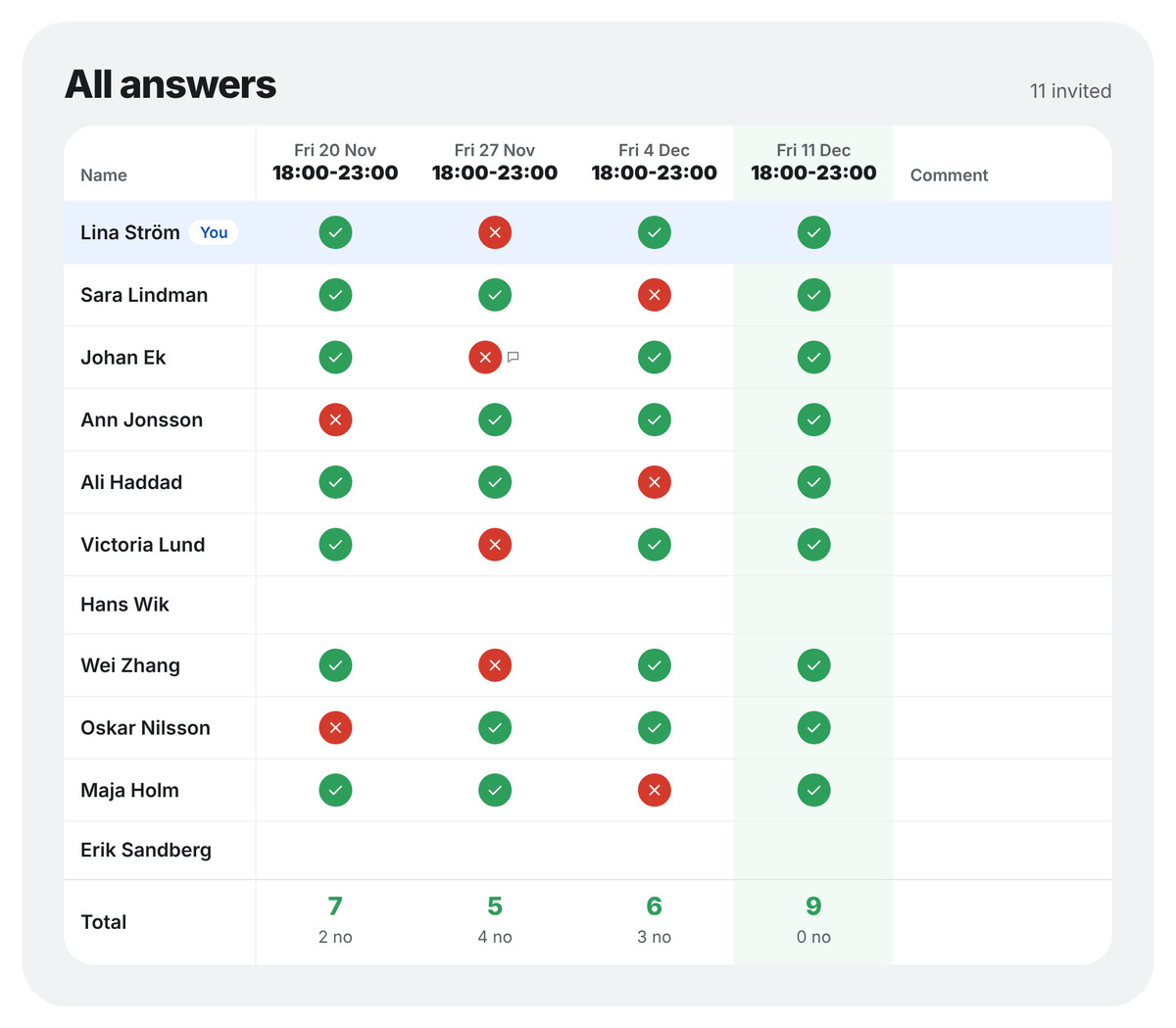
See what suits most people
The overview shows everyone's answers. The option with the most yes answers is highlighted, so it is easy to decide.
Get started
Create a group and send your first invitation. You can also send a one-off invitation without creating a group.